Automate your entries
We have designed some common ways to enter positions and added them as convenient icons. Order levels and trigger levels can be visually applied to a chart by dragging them around, which saves a lot of time managing orders. For technical information on this feature look at the related Wiki page.
 |
 |
 |
 |
 |
 |
 |
OCO groups
Entry strategies are pre-designed One-Cancel-Other (OCO) order groups to enter positions. They consist of combinations of limit and/or stop orders, and if one is filled then the other one is cancelled. They are shown as icons in the Trade Panel, and they can be easily applied to the chart. These strategies can be applied to an existing order through drag-and-drop or right-click.
Breakout strategy
A breakout is usually defined as a sudden and significant price movement through the support and resistance levels, usually followed by large trading volume and increased volatility. A breakout trader will buy if the price goes up through the resistance level and sell if the price goes down through the support level, assuming that the motion will continue. The Breakout strategy will place two stop orders at the prices (distance) specified - a buy stop order will be placed above the current price and a sell stop order below the current price.
Fade strategy
Fading is usually defined as trading against the trend, a ‘mirror-image’ of the breakout. If the market goes up, fading traders will sell, hoping that the price will go down. Similarly, fading traders will buy if the price goes down. The Fade strategy will place two limit orders at the prices (distance) specified, so fading can start when the price moves. A buy limit order will be placed below the current price and a sell limit order above the current price.
Breakout Up/Fade strategy
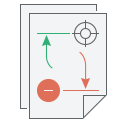
This strategy is a combination of the breakout and fade strategies defined above, and it is used when the trader expects the price will go up. This strategy will place a buy stop above the current price and a buy limit order below the current price. The breakout can be activated if it happens, but also catch the fade if the price falls.
Breakout Down/Fade strategy
This strategy is a combination of the breakout and fade strategies defined above, and it is used when the trader expects the price will go down. This strategy will place a sell stop order below current price and sell limit above current price. The breakout can be activated if it happens, but also catch the fade if the price rises.
Stop, Limit and Stop Limit
You can easily apply stop, limit or stop limit order on a chart. The process of placing a manual order is intuitive and user-friendly. First of all set up TIF and order trade size and then drag it as a regular file on your desktop that you can drop where you need it to take place.
Advanced exit automation
Protection is essential against unwanted market movements and to try profiting from them if possible. Some traders think that the exit strategy, exiting a position properly, is more important for consistent results than the opening strategy. For technical information on this feature look at the related Wiki page.
 |
 |
 |
 |
 |
 |
Exit strategies are essential
Exit strategies are designed to protect against sudden market movements and to exit a position in a structured and organized fashion. Just like entry strategies, these exits are OCO groups consisting of limit and/or stop orders. It is very easy to drag-and-drop exit strategies to existing orders, apply them with a mouse right-click or auto-apply them to every new order placed. MultiCharts uses a ‘building block’ approach to construct automated exit strategies; a trader can assemble exit strategy components or use larger blocks that have things pre-made for convenience.
Stop Loss
A stop order (aka Stop Loss) is an important order type. While a market order means buy/sell now at the current price, a stop order specifies a price at which to buy or sell. It’s used to define how much loss is tolerable before a position will be exited. When the specified price is reached the order becomes a market order, and the broker executes the order. Most modern brokers store stop orders on their servers, so even if the trader is disconnected the position is still protected against excessive losses. Please find more information about which order types are supported by the brokers on their servers.
Profit Target
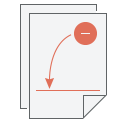
A profit target is a limit order placed ahead of time to define how much profit must be attained before the position is closed and the profit is realized (i.e. contracts either bought or sold to reduce or close the position). A limit order is different from a stop order because it will be filled only at the specified price or better, while stop orders get filled at whatever the current price is at a given time.
Brackets
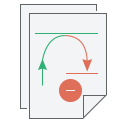
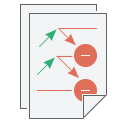
Brackets in MultiCharts is a One-Cancel-Other (OCO) order group, with one limit order and one stop order. This exit strategy is a one-click combo of the stop loss and profit target described above, but with one difference. If one of these orders is filled, the other one will be cancelled by MultiCharts. Targets placed separately from stop losses, provide more flexibility, but they also come with the responsibility of cancelling orders no longer needed.
Breakeven
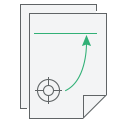
Breakeven is a convenient exit strategy for exiting the market without losing any money (counting your transaction costs). If a long position is held, then the strategy will place a sell stop; and vice versa, if a short position is held, then it will place a buy stop. Define the profit needed to trigger this order, and once it triggers it will become active. If the price is reached, then the order will be executed.
Trailing Stop
A trailing stop is a ‘smart’ stop order that recognizes that losing only a certain % of money is acceptable, and a hard price level isn’t always appropriate. A trailing stop will effectively follow the current position’s profit, and it will execute if the price goes in the opposite direction. However, if the trailing stop is set too tight, in a volatile market a position can be closed before it really is desirable.
Master Exit Strategy
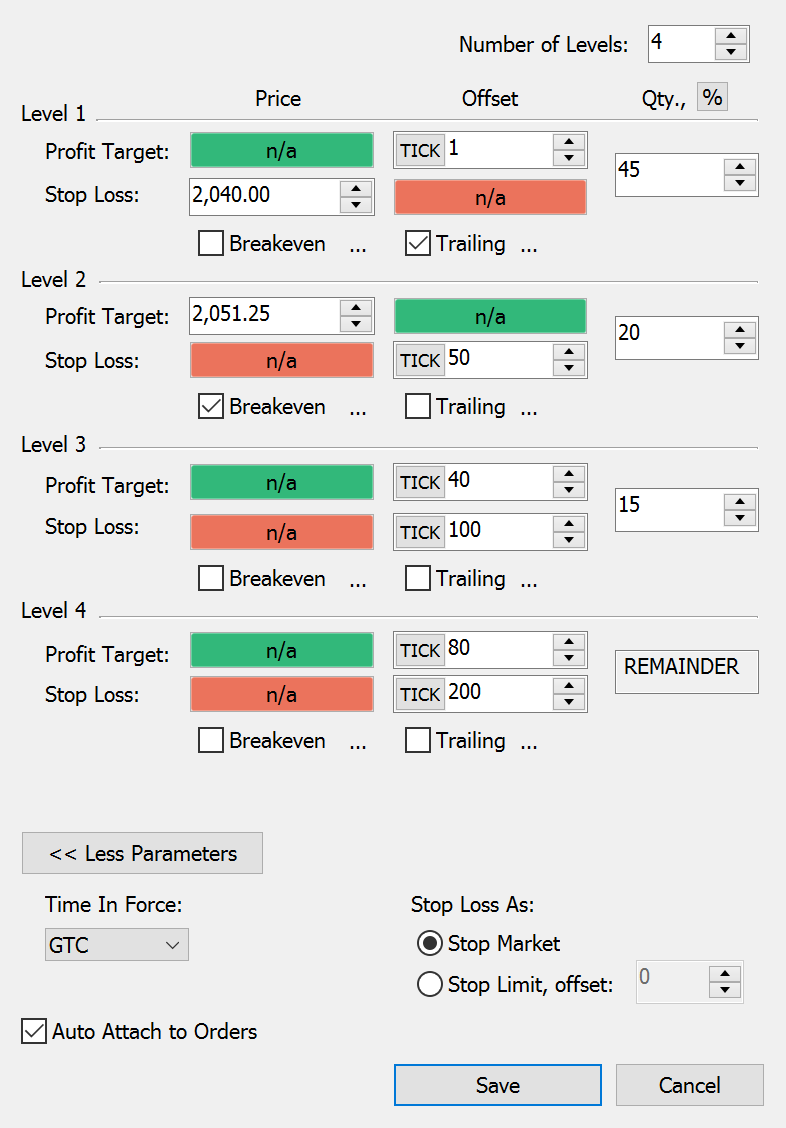
The Master Exit Strategy is a multi-level strategy where all components interact closely with one another. It’s an essential tool for scaling-in and scaling-out of positions and for pyramiding positions. This strategy cannot be combined with any other exit strategies, because it incorporates all of them. Multiple bracket levels, trailing stops, breakevens and all levels may be set so they are constantly synced with one another. If, for instance, some contracts are transferred from one bracket level to another, the same adjustment will be made automatically on the other side of the bracket as well. If there is a partial fill, then the other side will adjust accordingly. If an entire level is cancelled, the strategy will get rid of all unnecessary components, allowing the trader to focus on the market.
DOM

Strategy Parameters - Master Strategy
Auto-apply exit strategies
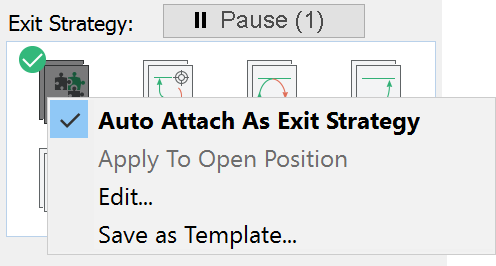
Stay protected from the start and save time by auto-applying favorite exit strategies from the start. As soon as an order is placed, the corresponding stops and limits will be automatically placed. Another nice feature is that auto-application may be paused by pressing Space or clicking the Pause button. Pausing can be very helpful if entering an order quickly without any additional exit orders, but it does not remove or change the standard order setup.
Save your favorite templates
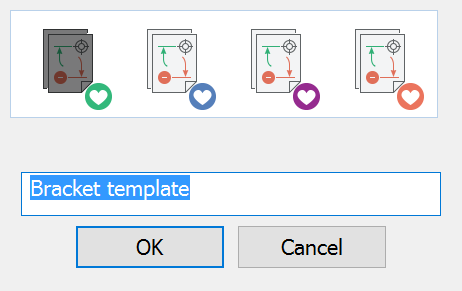
Each strategy can be modified, and for your convenience we have designed an option to save the settings as a template so orders can be fired even faster. Create up to 4 templates per strategy. Each template would have a special colored marker on the icon.